Want a link that opens your app on the exact screen — and still does something sensible for people who don't have the app? This is a practical, no-SDK walkthrough for creating a deep link for iOS and Android, plus how to test it. If you just want the fast path, you can create one free with lynkily.
What a good deep link needs
- A direct open — Universal Links (iOS) and App Links (Android) so the app opens with no browser bounce.
- An app-store fallback — send people without the app to the right store.
- A web fallback — desktop users and unsupported platforms still land somewhere useful.
- An in-app path — the specific screen to open (e.g.
/product/123).
The manual way (what's involved)
- Register your app details: iOS bundle ID + Team ID, Android package name + signing SHA-256, and a URL scheme.
- Host association files: an
apple-app-site-associationfile and anassetlinks.jsonon your HTTPS domain, under/.well-known/. - Wire up the app: add the Associated Domains entitlement on iOS and an
autoVerifyintent filter on Android, then handle the incoming link and route to the screen. - Build the fallback logic: try the app, then the store, then the web — so no tap dead-ends.
It works, but hosting files correctly and getting the fallback chain right is where most of the time goes.
The shortcut: use a deep link generator
lynkily Deep Links collapses the steps above into a few minutes:
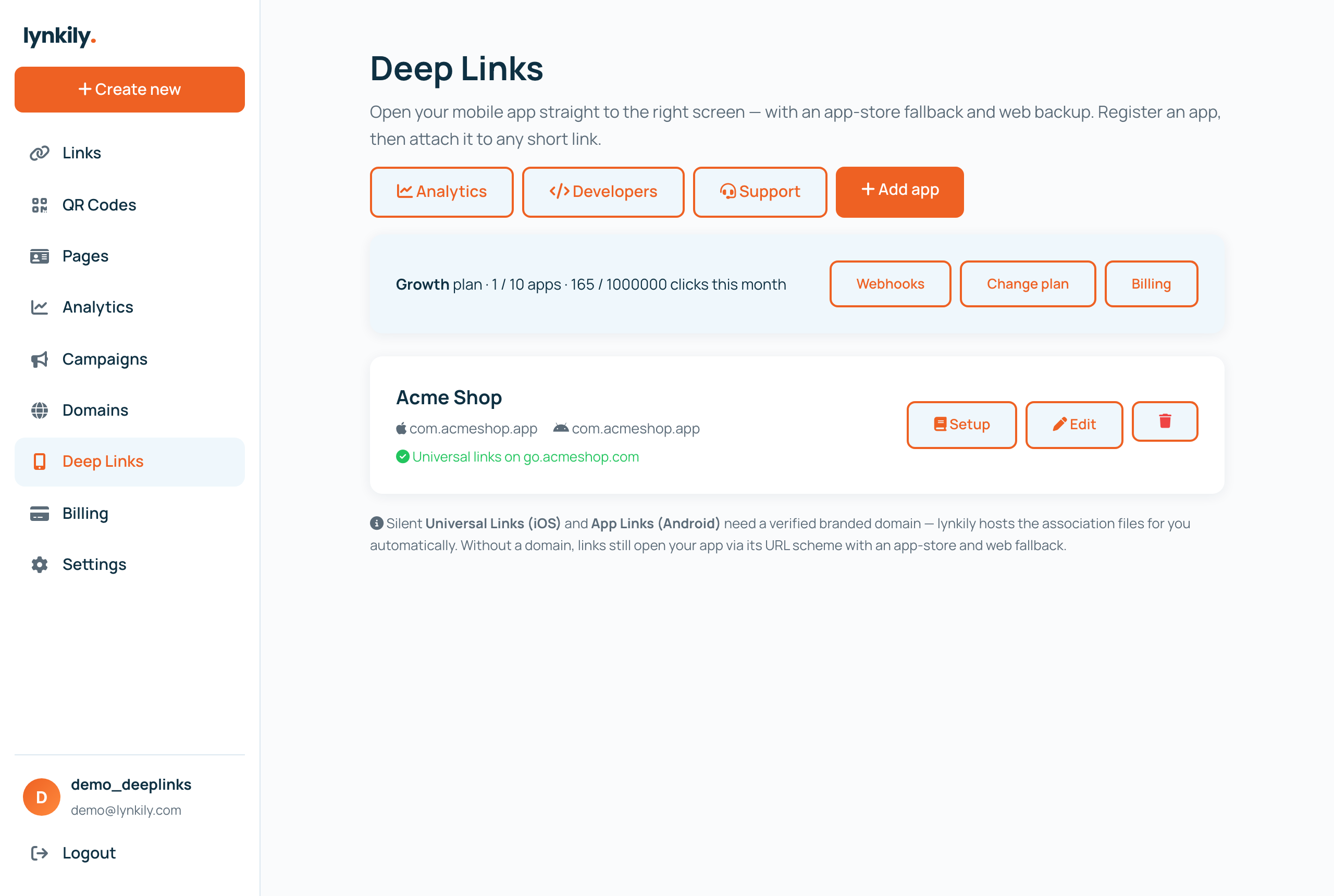
- Register your app under Deep Links — iOS and/or Android details.
- Connect a branded domain (optional, for silent Universal/App Links). lynkily then hosts your AASA and assetlinks.json automatically.
- Create a link and pick your app + in-app path. That short link is now a smart deep link with built-in app→store→web routing.
How to test a deep link
- App installed: tap the link on the device — it should open the app on the right screen.
- App not installed: tap it — you should be routed to the correct app store.
- Desktop: open the link — you should get the web fallback.
- iOS gotcha: iOS caches the AASA at install time, so test Universal Links with a fresh install or Apple's AASA validator.
Track what happens next
Once your links are live, deep-link analytics show the outcome funnel — clicks, app opens, store taps and web fallbacks — by platform, country and device. Developers can automate everything via the REST API (create apps and deep links, read stats, receive webhooks).
Background reading: what is deep linking, Universal Links vs App Links, and deferred deep linking without an SDK.